

Guide to Accessing Graduation Invitations via BINUS Mobile for Parent and BINUSMAYA Mobile
Last Updated : 29 August 2026 21:09-
![BINUS @Greater Jakarta]() BINUS @Greater Jakarta
BINUS @Greater Jakarta
-
![BINUS @Bandung]() BINUS @Bandung
BINUS @Bandung
-
![BINUS @Malang]() BINUS @Malang
BINUS @Malang
-
![BINUS @Semarang]() BINUS @Semarang
BINUS @Semarang
-
![BINUS @Medan]() BINUS @Medan
BINUS @Medan
-
![BINUS @Bekasi]() BINUS @Bekasi
BINUS @Bekasi
-
![BINUS @Senayan]() BINUS @Senayan
BINUS @Senayan







- ASO School of Engineering
- Binus Business School
- Doctor
- International Undergraduate
- Master
- Online Collaboration S1
- Online Master
- Online Undergraduate
- Regular Collaboration S1
- Regular Profession
- Undergraduate
- Undergraduate (Bandung)
- Undergraduate (Malang)
- Undergraduate (Medan)
- Undergraduate (Semarang)
The graduation invitation for Parents/Guardians is provided in the form of a digital invitation that can be accessed through the BINUS Mobile for Parent application.
Parents/Guardians are required to redeem the invitation according to the scheduled graduation session.
Please follow the steps below to redeem the graduation invitation:
1. Login to BINUS Mobile for Parent
Open the BINUS Mobile for Parent application and log in using the following credentials:
-
Username: Student NIM
-
Default Password:
binusddmmyyyy
(ddmmyyyy refers to the student’s date of birth)
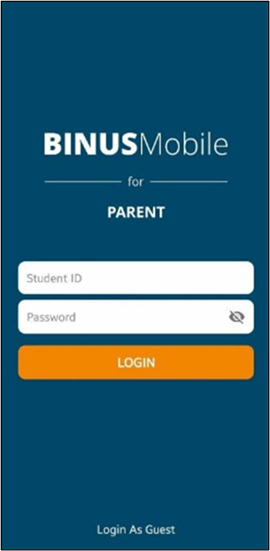
Please ensure that the login information is entered correctly to avoid login issues.
2. Successful Login Display
Once the login process is successful, Parents/Guardians will be directed to the main page of the BINUS Mobile for Parent application.
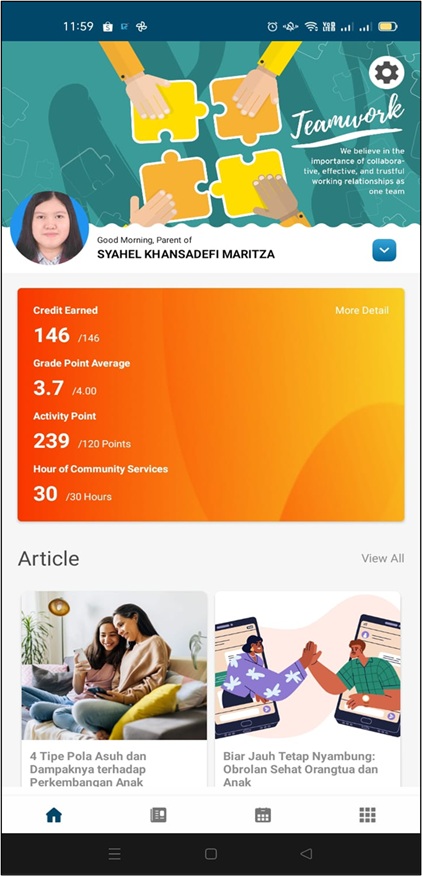
This page contains various menus related to the student’s academic information, including graduation details.
3. Select the Graduation Invitation Menu
Next, select the Graduation Invitation menu to view the digital graduation invitation.
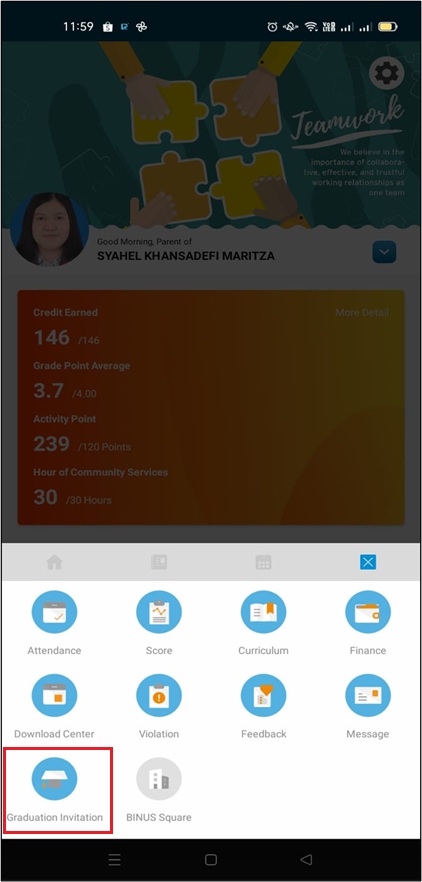
This menu displays the graduation invitation designated for Parents/Guardians.
4. Redeem the Graduation Invitation
On the Graduation Invitation page, the digital invitation will be displayed.
Please click the “Redeem” button according to the assigned graduation schedule.
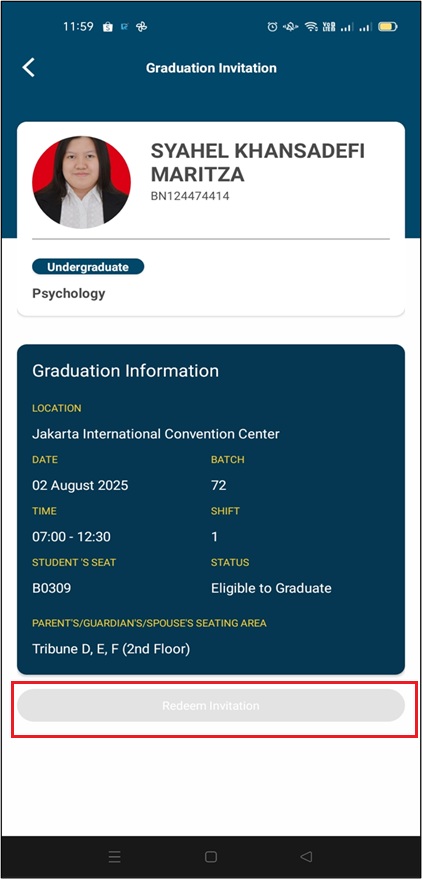
Make sure the redemption process is completed within the designated time to ensure the invitation can be used as intended.
Important Notes
-
Login uses the Student NIM and the default password binusddmmyyyy.
-
The invitation can only be redeemed according to the assigned graduation schedule.
-
Ensure that the BINUS Mobile for Parent application is updated to the latest version.
-
If you experience any login or redemption issues, please contact BINUS Support for further assistance.
Steps to View Your Graduation Invitation in BINUSMAYA Mobile
1. Log in to BINUSMAYA Mobile
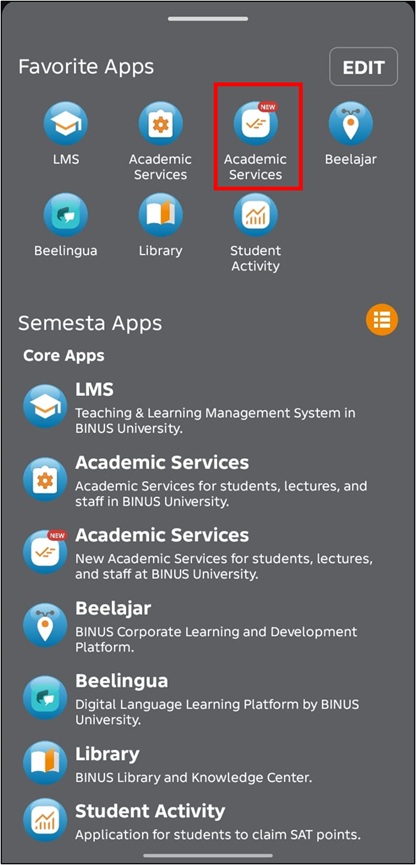
Open the BINUSMAYA Mobile application and log in using your Binusian email and password (your binus.ac.id account). Once logged in successfully, tap the More menu (the nine-dot icon) located at the top of the widget section.
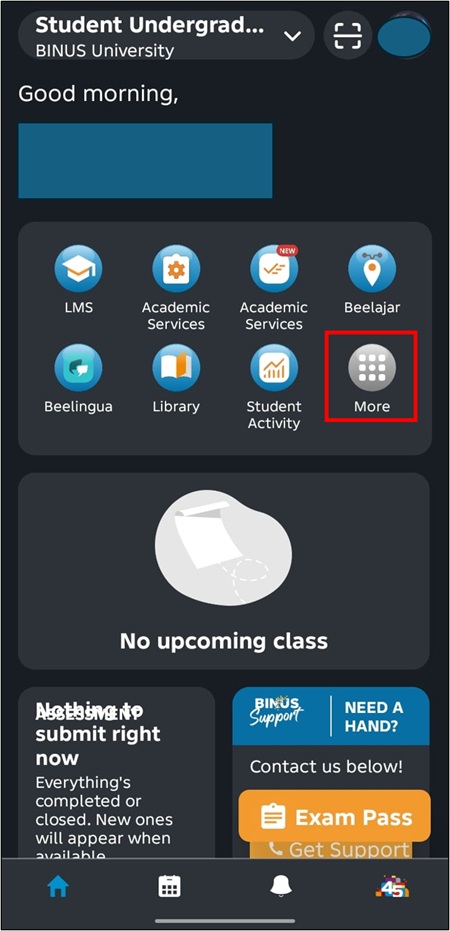
2. Select the New Academic Services Menu
Tap New Academic Services to access various academic services, including graduation-related information.
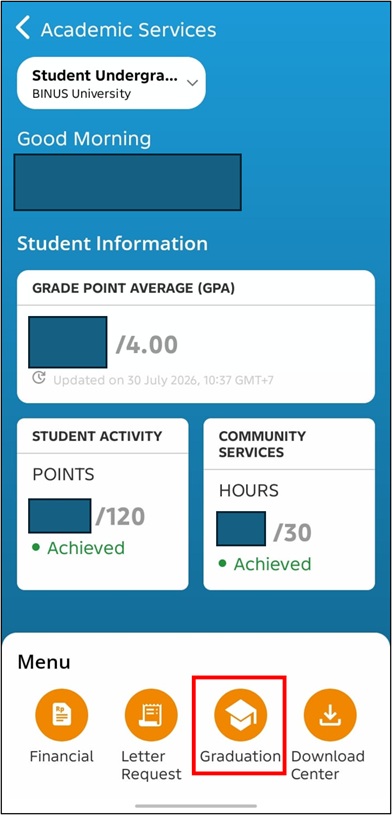
3.Open the Graduation Menu
On the New Academic Services page, select the Graduation menu located at the bottom of the screen.
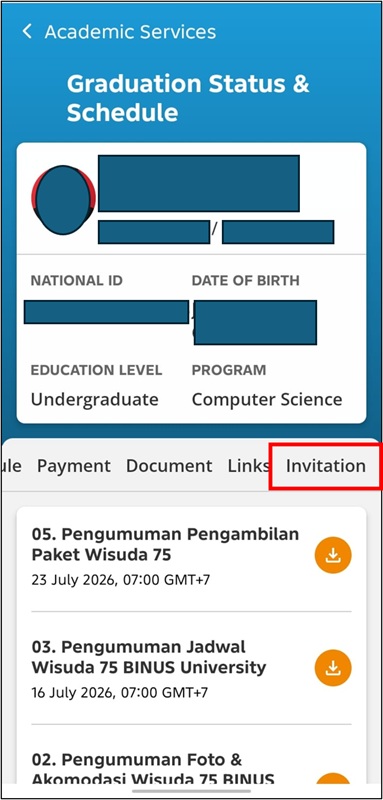
4. Access the Invitation Submenu
Within the Graduation page, find and tap the Invitation submenu to view your graduation invitation.
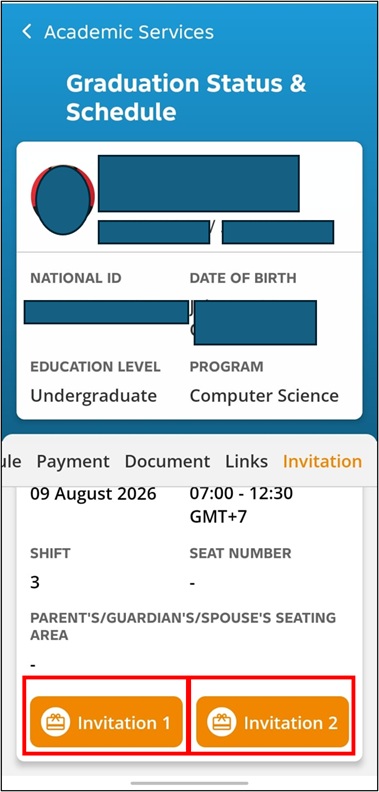
5. View or Download Your Graduation Invitation
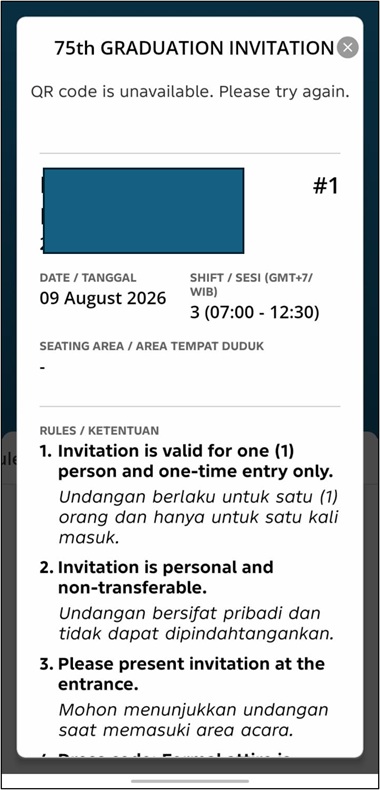
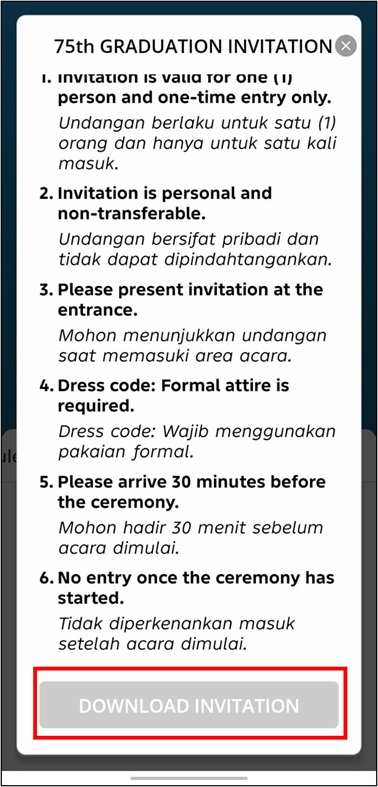
On the Invitation page, scroll down until you find the available graduation invitations. Tap one of the invitations to open its details. From there, you can:
- Display the QR Code that will be scanned by the event staff during the graduation ceremony.
- Download your graduation invitation for future reference.