
How to Check Your Study Program Curriculum
Last Updated : 28 July 2026 14:48-
![BINUS @Greater Jakarta]() BINUS @Greater Jakarta
BINUS @Greater Jakarta
-
![BINUS @Bandung]() BINUS @Bandung
BINUS @Bandung
-
![BINUS @Malang]() BINUS @Malang
BINUS @Malang
-
![BINUS @Semarang]() BINUS @Semarang
BINUS @Semarang
-
![BINUS @Bekasi]() BINUS @Bekasi
BINUS @Bekasi





Academic Career
Applies to the following academic careers
- ASO School of Engineering
- Undergraduate
- Undergraduate (Bandung)
- Undergraduate (Malang)
- Undergraduate (Medan)
- Undergraduate (Semarang)
This article is for parent & student
Please follow the steps below to view your curriculum information:
- Visit the website: https://curriculum.binus.ac.id/
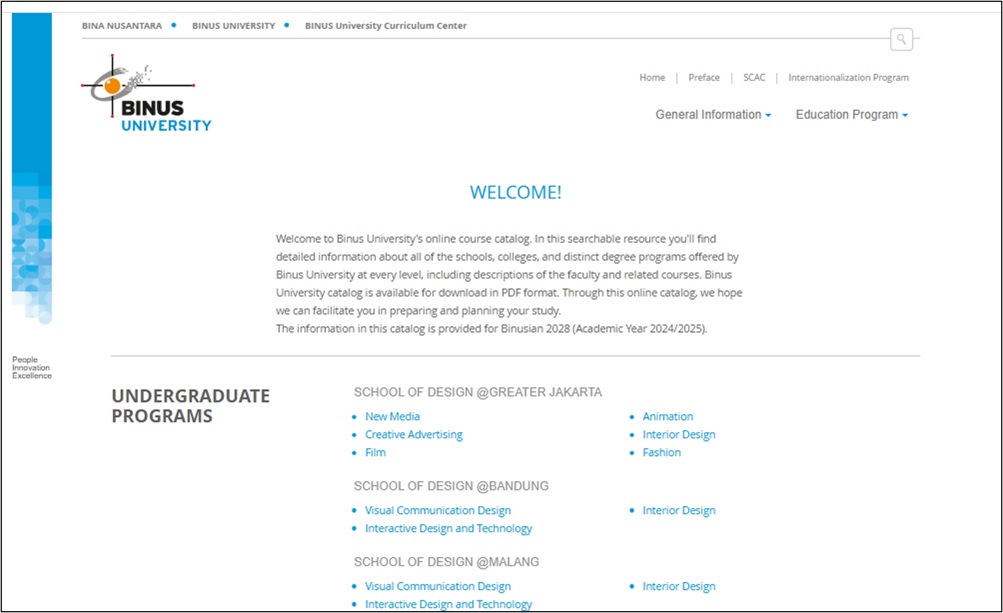
- Select your Program/Study Program.
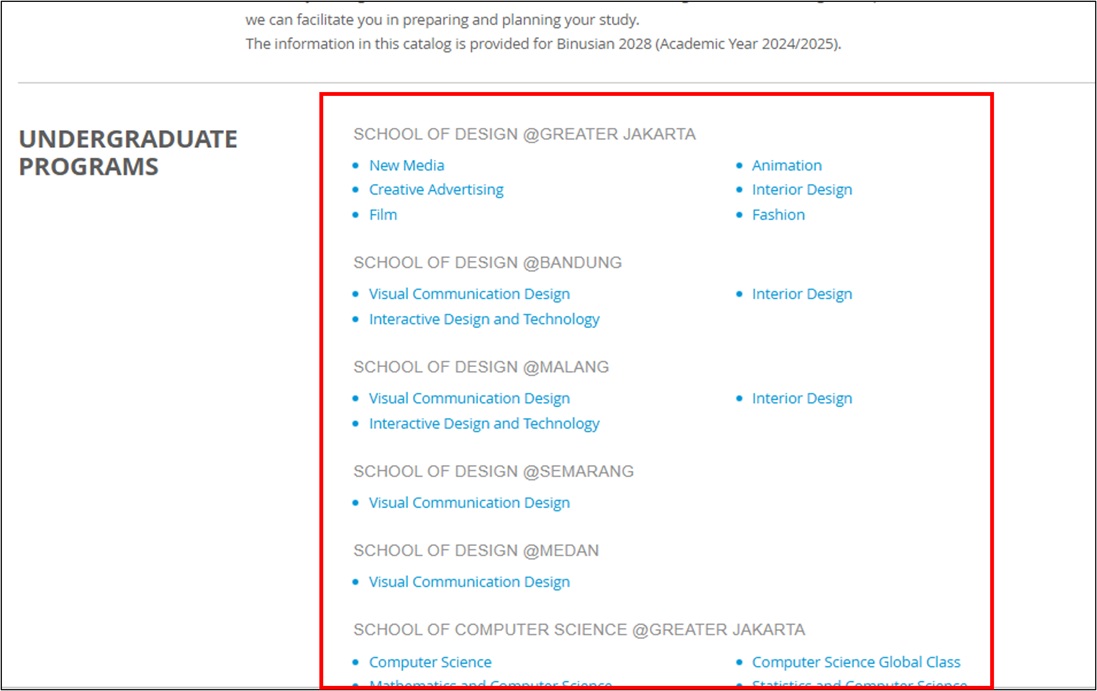
- Click Catalog and choose the catalog that corresponds to your year of enrollment.
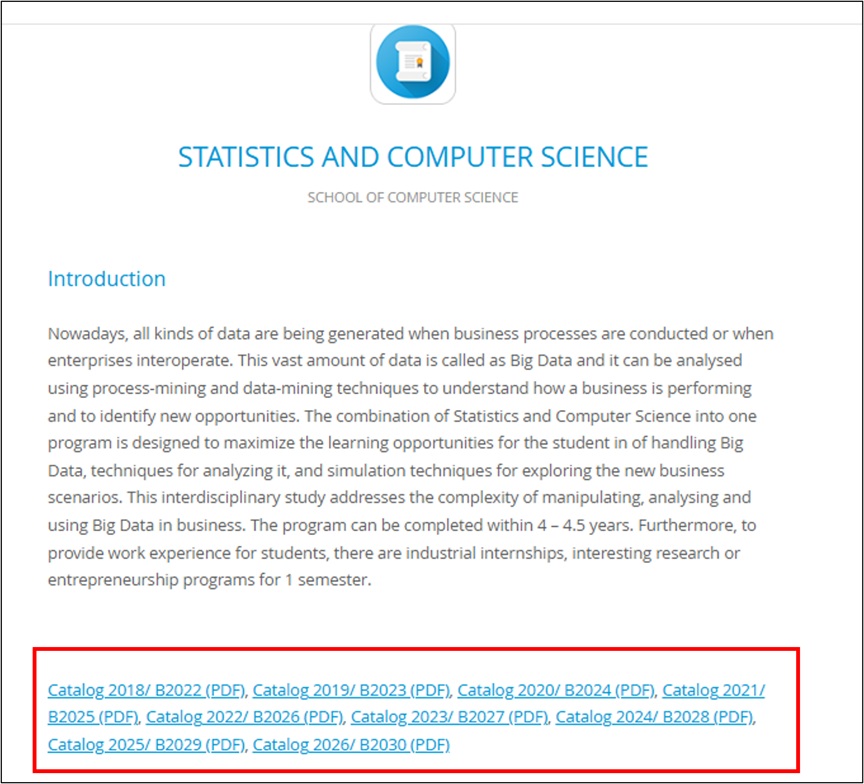
- The system will display the Course Structure, including:
- A complete list of courses from the first semester through graduation
- Course prerequisites
- Internship requirements
- Thesis requirements
- Information about available Enrichment Program tracks
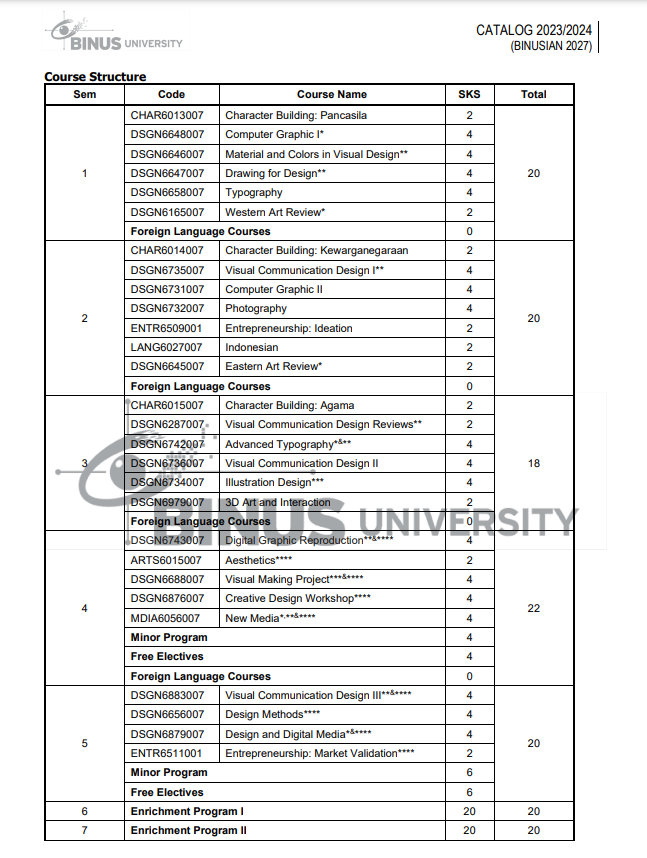
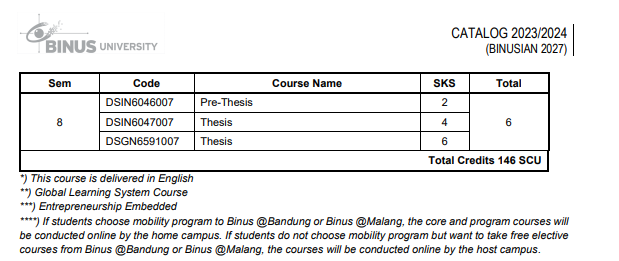
- Click the download arrow icon to download the curriculum file.