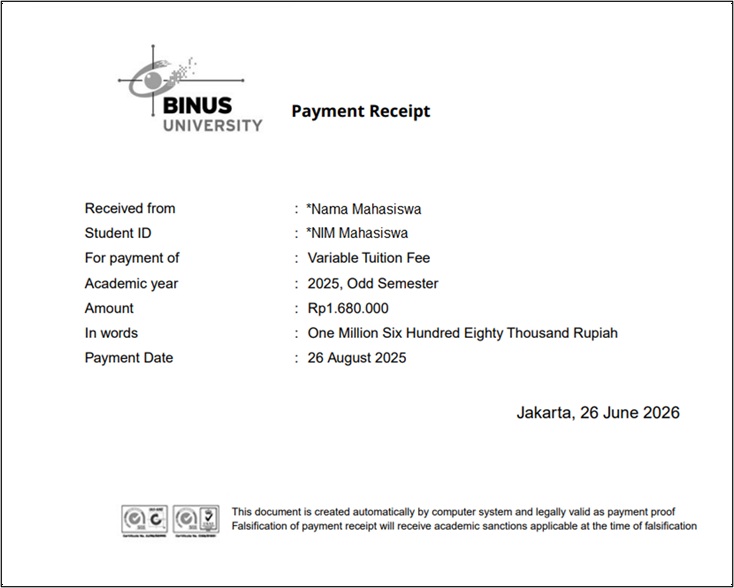


Guide to Obtaining Tuition Fee Payment Receipt
Last Updated : 05 August 2026 14:27-
![BINUS @Greater Jakarta]() BINUS @Greater Jakarta
BINUS @Greater Jakarta
-
![BINUS @Bandung]() BINUS @Bandung
BINUS @Bandung
-
![BINUS @Malang]() BINUS @Malang
BINUS @Malang
-
![BINUS @Semarang]() BINUS @Semarang
BINUS @Semarang
-
![BINUS @Bekasi]() BINUS @Bekasi
BINUS @Bekasi





- Undergraduate
- Undergraduate (Bandung)
- Undergraduate (Malang)
- Undergraduate (Medan)
- Undergraduate (Semarang)
Individuals who require a tuition fee payment receipt for various purposes do not need to submit a request through BINUS Support.
Please note that BINUS University does not issue physical (hard copy) receipts for tuition fee payments made through:
- BLU Account Autodebit, or
- Virtual Account transfers
As an alternative, you can download a digital (soft copy) receipt by following the steps below:
Steps to Download the Receipt
- Access BINUSMAYA
- Visit: https://binusmaya.binus.ac.id/
- Enter your User ID and Password
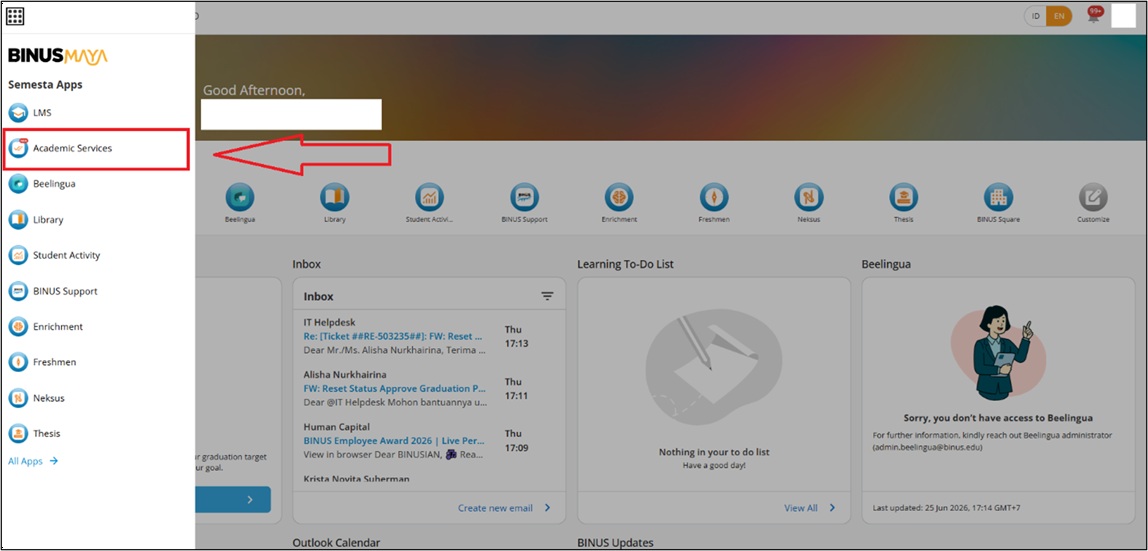
- Access Academic Services
- Click the Apps Launcher button located at the top-left corner of the screen
- Select the Academic Services menu
- Navigate to Student Financial
- Click on the Financial Summary menu
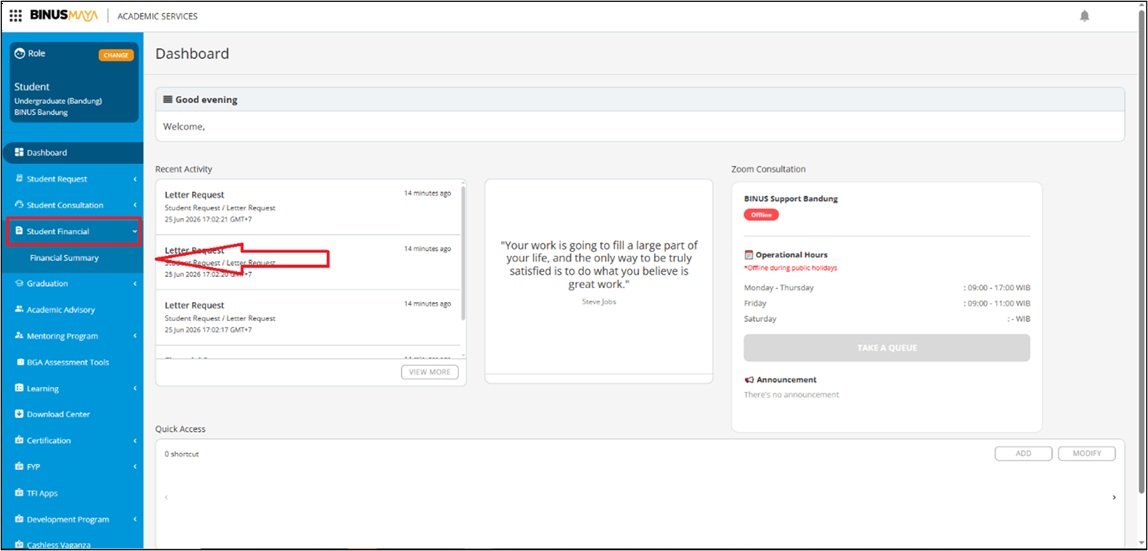
- Click on the Financial Summary menu
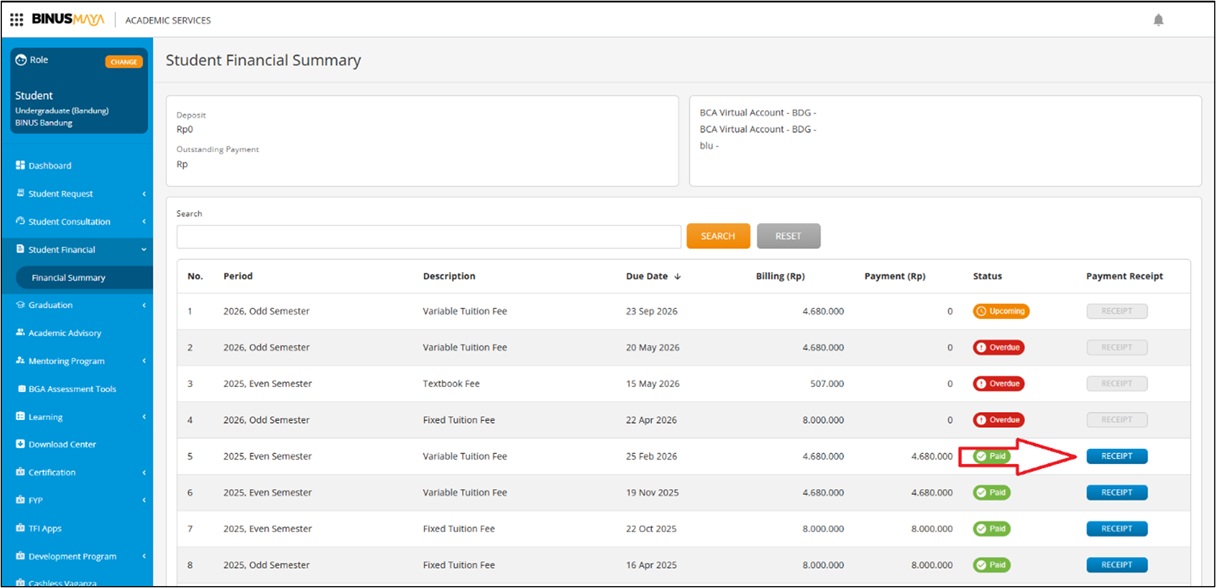
- Select Payment Record
- Choose the payment record for which you would like to download the receipt
- Click the “Receipt” button to download the receipt file
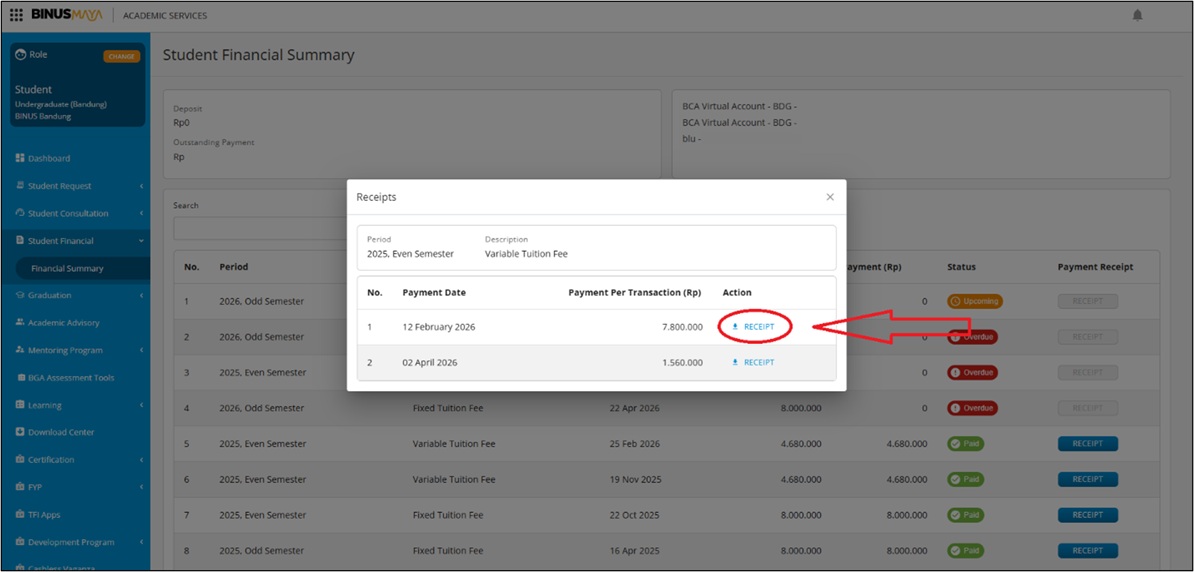
Receipt Download Result
Once the process is completed, the receipt will be available in soft copy format. You may save and print the receipt independently according to your needs.
⚠️ Note
New students may not be able to download their Payment Receipt immediately after making a tuition fee payment. The Payment Receipt will become available for download once the academic period has commenced.
As an alternative, students who require supporting documentation for payments that have already been made may request a Financial Letter (Payment Information Letter) through BINUSMAYA.
For guidance on how to request a Financial Letter, please refer to the article “Panduan Mengajukan Surat Informasi Pembayaran di BINUSMAYA.”