


How to Get Your @binus.ac.id Email Username?
Last Updated : 20 August 2026 12:00-
![BINUS @Greater Jakarta]() BINUS @Greater Jakarta
BINUS @Greater Jakarta
-
![BINUS @Bandung]() BINUS @Bandung
BINUS @Bandung
-
![BINUS @Malang]() BINUS @Malang
BINUS @Malang
-
![BINUS @Semarang]() BINUS @Semarang
BINUS @Semarang
-
![BINUS @Bekasi]() BINUS @Bekasi
BINUS @Bekasi
-
![BINUS @Senayan]() BINUS @Senayan
BINUS @Senayan






Academic Career
Applies to the following academic careers
- ASO School of Engineering
- International Undergraduate
- Online Collaboration S1
- Online Undergraduate
- Regular Collaboration S1
- Undergraduate
- Undergraduate (Bandung)
- Undergraduate (Malang)
- Undergraduate (Medan)
- Undergraduate (Semarang)
This article is for future student, international student & student
- Access BINUSMAYA by visiting https://binusmaya.binus.ac.id.
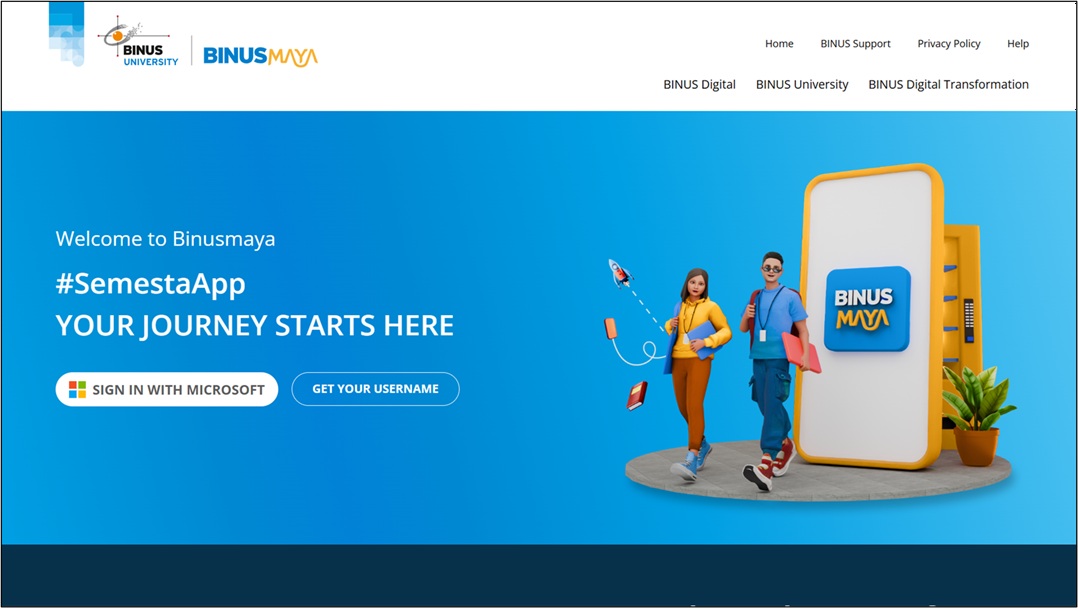
- Select “GET YOUR USERNAME” on the main page.
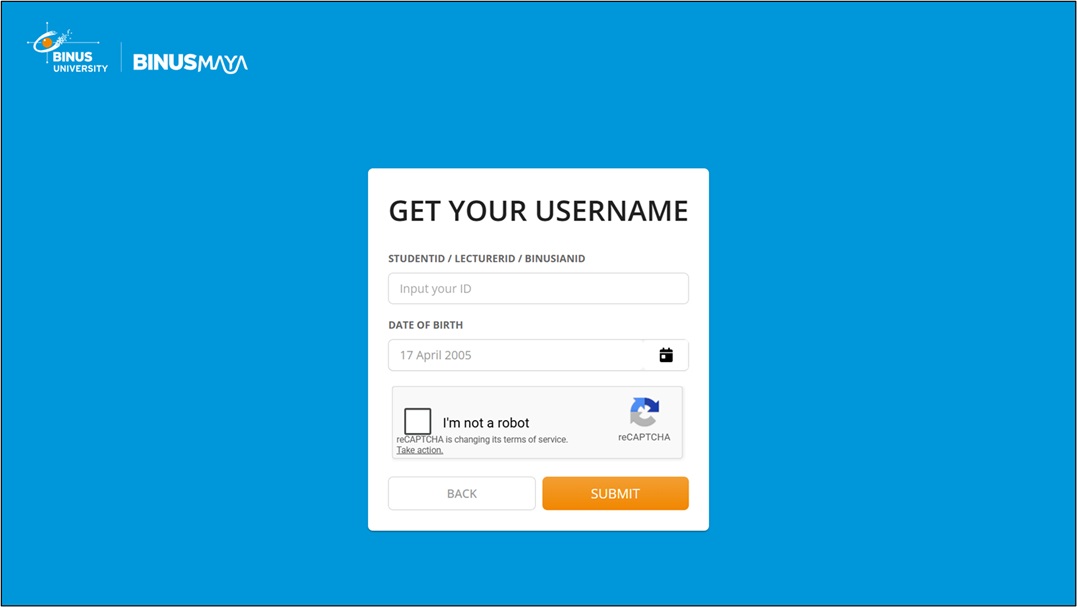
- Enter your Student ID (NIM) in the provided field.
- Enter your Date of Birth in the corresponding field.
- Complete the CAPTCHA verification by checking the “I’m not a robot” box.
- Click Submit. Your BINUSMAYA email username will then be displayed.