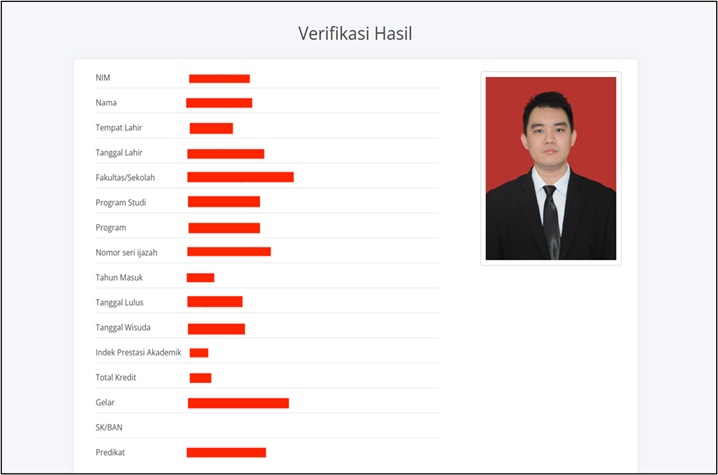


How to Verify Graduation Documents (Diploma) for Alumni?
Last Updated : 28 July 2026 14:13-
![BINUS @Greater Jakarta]() BINUS @Greater Jakarta
BINUS @Greater Jakarta
-
![BINUS @Bandung]() BINUS @Bandung
BINUS @Bandung
-
![BINUS @Malang]() BINUS @Malang
BINUS @Malang
-
![BINUS @Semarang]() BINUS @Semarang
BINUS @Semarang
-
![BINUS @Bekasi]() BINUS @Bekasi
BINUS @Bekasi
-
![BINUS @Senayan]() BINUS @Senayan
BINUS @Senayan






- ASO School of Engineering
- Binus Business School
- Doctor
- International Undergraduate
- Master
- Online Collaboration S1
- Online Master
- Online Undergraduate
- Regular Collaboration S1
- Regular Profession
- Undergraduate
- Undergraduate (Bandung)
- Undergraduate (Malang)
- Undergraduate (Medan)
- Undergraduate (Semarang)
After alumni are officially declared graduates of BINUS University, one of the most important graduation documents is the diploma (certificate). Therefore, the verification of graduation documents, particularly the diploma, is necessary to ensure the authenticity, legitimacy, and validity of alumni academic records.
Diploma verification is an essential step for administrative purposes, further education, as well as professional requirements.
Why Is Graduation Document (Diploma) Verification Important?
Diploma verification is important for the following reasons:
-
To ensure the authenticity of the diploma and prevent the use of fake diplomas
-
To avoid data inaccuracies on the diploma, such as name, Student ID Number (NIM), or study program
-
To ensure that graduation data is properly recorded and validated in the Higher Education Database (PDDIKTI)
-
To fulfill requirements for continuing education to a higher level, such as Master’s (S2) or Doctoral (S3) programs
Guide to Verifying Graduation Documents (Diploma)
Alumni can verify their diploma online by following these steps:
1. Access the Verification Website
Please visit the diploma verification page through the following link:
https://verification.apps.binus.ac.id/
2. Fill in the Required Information
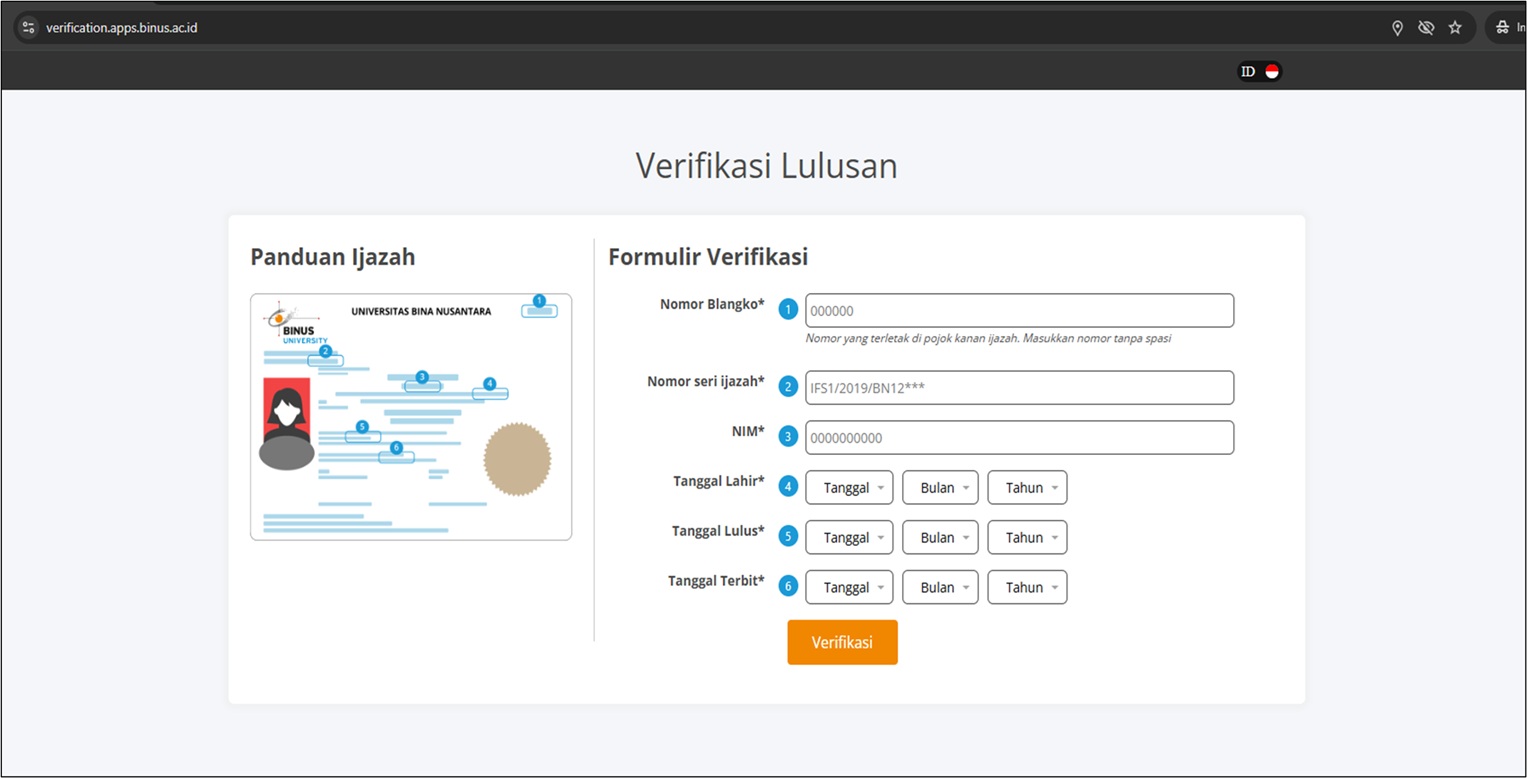
After accessing the page, alumni are required to enter the following information:
-
Diploma Blank Number
-
Diploma Serial Number
-
Student Identification Number (NIM)
-
Date of Birth
-
Graduation Date
-
Diploma Issue Date
Please ensure that all information entered is correct and matches the data stated on the diploma.
3. Submit Verification
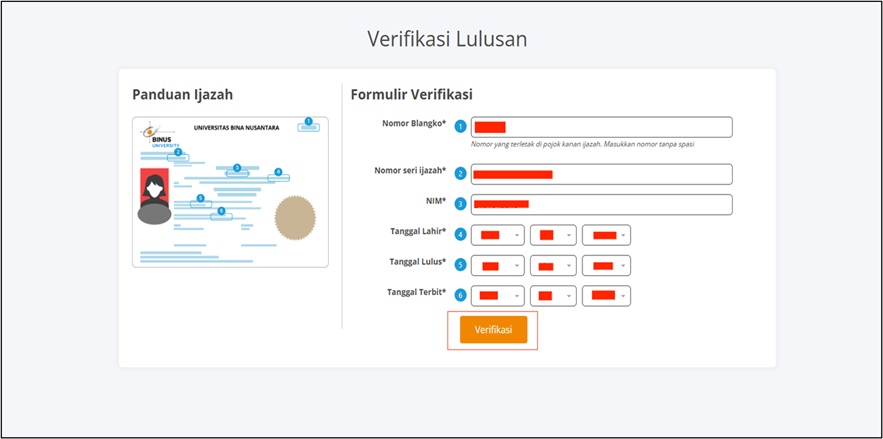
Once all required data has been completed, please click the Verify button.
4. Verification Result
The system will display the diploma verification result based on the submitted information. This result can be used as official proof of the authenticity of the alumni’s graduation document.