

How to Extend or Return an E-Book Collection Through the BINUS LKC Website
Last Updated : 06 July 2026 11:25-
![BINUS @Greater Jakarta]() BINUS @Greater Jakarta
BINUS @Greater Jakarta
-
![BINUS @Bandung]() BINUS @Bandung
BINUS @Bandung
-
![BINUS @Malang]() BINUS @Malang
BINUS @Malang
-
![BINUS @Semarang]() BINUS @Semarang
BINUS @Semarang
-
![BINUS @Medan]() BINUS @Medan
BINUS @Medan
-
![BINUS @Bekasi]() BINUS @Bekasi
BINUS @Bekasi
-
![BINUS @Senayan]() BINUS @Senayan
BINUS @Senayan







Academic Career
Applies to the following academic careers
- ASO School of Engineering
- Binus Business School
- Doctor
- International Undergraduate
- Master
- Online Collaboration S1
- Online Master
- Online Undergraduate
- Regular Collaboration S1
- Regular Profession
- Undergraduate
- Undergraduate (Bandung)
- Undergraduate (Malang)
- Undergraduate (Medan)
- Undergraduate (Semarang)
This article is for alumni, lecturer & student
Hello BINUSIAN,
If you have borrowed an e-book from the Library and Knowledge Center (LKC) website, make sure to regularly check the loan period to avoid overdue fines. Below are the steps you can follow to independently extend or return your e-book collection through the BINUS LKC website.
Access the Official Website
- Visit the official LKC BINUS website:
🔗 https://newlibrary.binus.ac.id - Log in using your BINUSIAN Microsoft email account (@binus.ac.id)
Check Your Borrowed Items
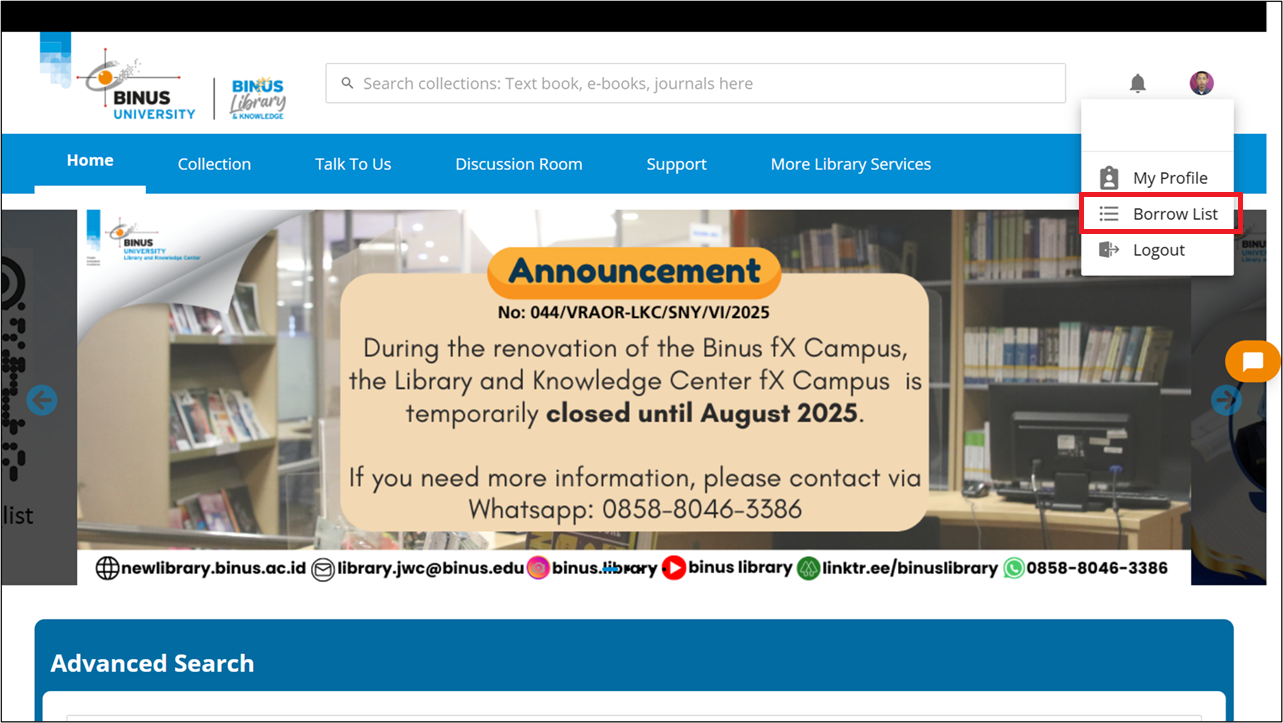
- Click the Profile icon in the top-right corner of the page.
- Select Borrow List to view the list of e-books you currently have on loan.
Extend the Loan Period (EXTEND)
- Click the RETURN/EXTEND button on the e-book you wish to renew.
- Select EXTEND.
- Click YES to confirm the renewal.
- The due date will be automatically updated and can be viewed in the Borrow List menu.
Return the Loan Period (RETURN)
- Click the RETURN/EXTEND button on the e-book you wish to return.
- Select RETURN.
- Click YES to confirm the return.
- Once the process is successful, the loan record will disappear from the Borrow List.
If You Experience Any Issues
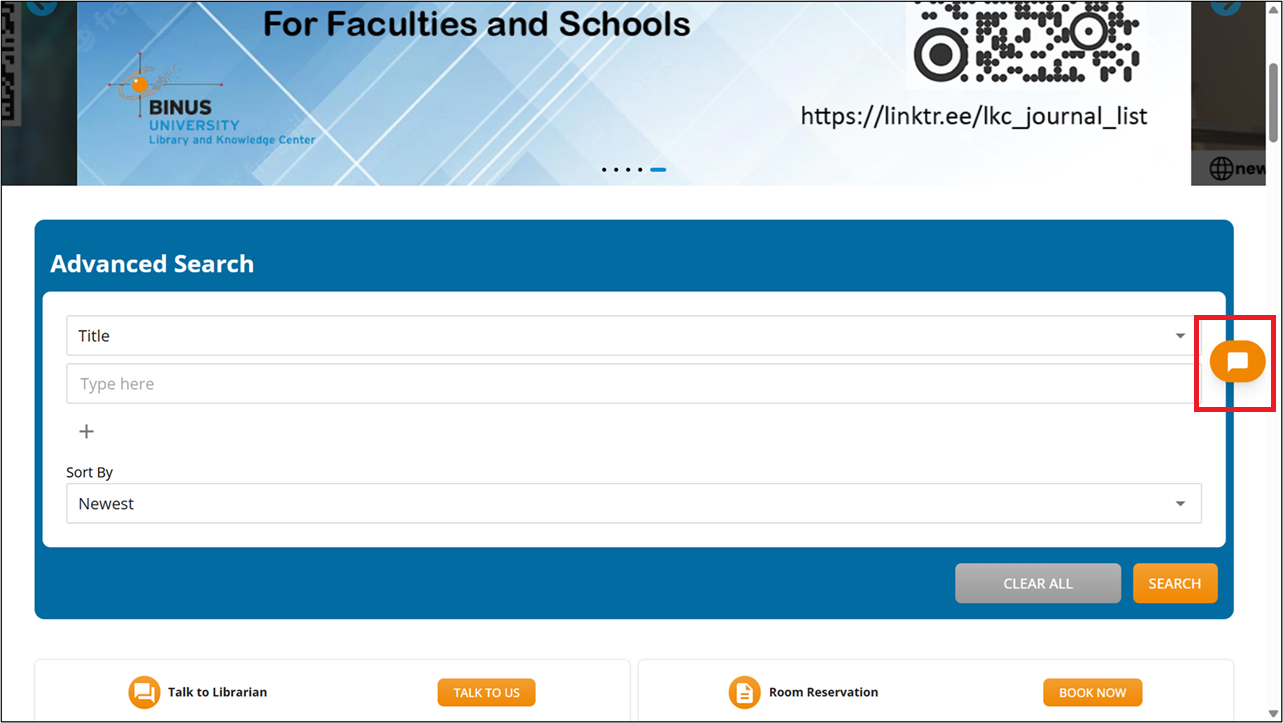
Use the Chat with Librarian feature available on the LKC website to receive direct assistance from a librarian.
Contact Information and Services
You can contact BINUS LKC through:
-
WhatsApp: 0851-8307-0004
-
Email: library@binus.edu
-
Website: https://newlibrary.binus.ac.id
-
Instagram: @binuslibrary
-
YouTube: binuslibrary
-
Linktree: https://linktr.ee/binuslibrary